

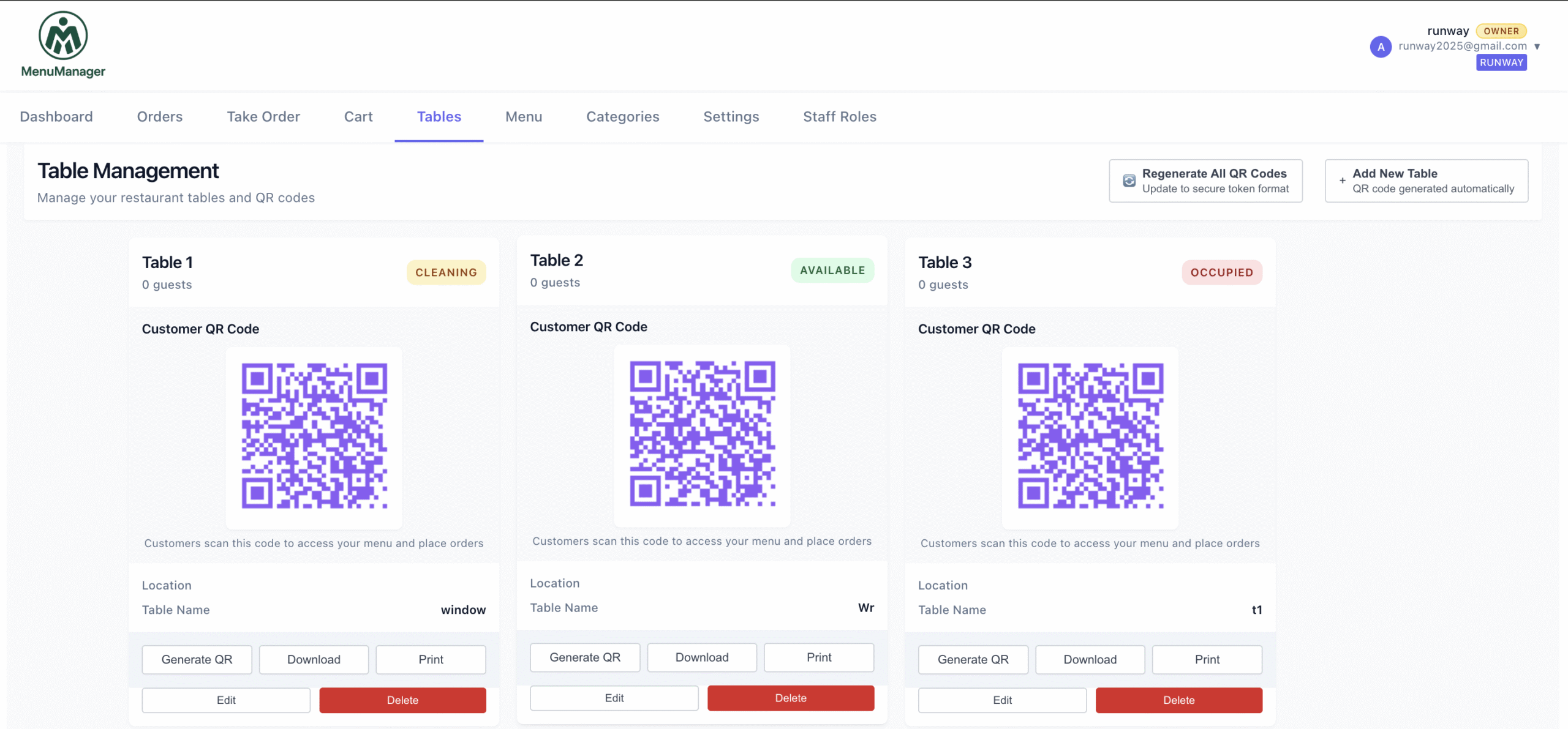
Managing table orders efficiently separates successful restaurants from chaotic ones. The right table order management system reduces wait times, eliminates order errors, and cuts labor costs by 30-40%.
Pair your table management with a QR code ordering system so customers place orders themselves and every order is automatically tagged with the correct table.
This guide covers everything you need to implement modern table order management.
Table of Contents
- What is Table Order Management (And Why Traditional Methods Fail)
- Key Features That Actually Matter
- How Digital Table Ordering Solves Real Problems
- Setting Up Your System in One Week
- Best Practices for Success
What is Table Order Management (And Why Your Current System is Broken)
Table order management is just a fancy term for “how you handle orders from the moment customers sit down until they pay and leave.”
Right now, you’re probably doing it the traditional way:
- Customer sits down and waits for a waiter
- Waiter finally comes, takes order (maybe writes it down, maybe remembers it)
- Waiter walks to kitchen and tells chef
- Chef prepares food (hopefully the right items)
- Waiter delivers to table (hopefully the right table)
Simple, right? Except when it goes wrong. And it goes wrong a lot.
Here’s what’s actually happening behind the scenes:
Your waiters are drowning during peak hours. Three servers can’t possibly handle 20 tables all wanting to order at the same time. Some tables wait 15 minutes just to place an order. Meanwhile, hungry customers are getting frustrated and some just leave.
Every order is a game of telephone. Customer says “paneer tikka, not too spicy,” waiter writes “paneer tikka,” tells kitchen “paneer tikka,” kitchen makes super spicy paneer tikka, customer complains. You’ve just wasted food, time, and created an unhappy customer who’ll probably leave a bad review.
You’re paying servers mostly to shuttle information back and forth. Think about it – you’re spending 12,000-15,000 rupees per server per month, and half their job is just taking orders and relaying them to the kitchen. That’s expensive message delivery.
Nobody really knows what’s happening. Ask any manager “which tables have ordered?” and they’ll look around, trying to remember. “How long has table 5 been waiting?” No idea. “Is table 8 ready for billing?” Let me go check.
Modern table order management fixes all of this. And it’s way simpler than you think.
Features That Actually Make Your Life Easier
Forget complicated feature lists. Here’s what actually matters when you’re in the trenches running a restaurant:
Every table gets its own QR code
Stick a QR code on each table. Customer scans it with their phone camera (no app needed), and boom – they’re looking at your menu. They order, and you instantly know it’s from table 7. No confusion, no “was that table 5 or 6?”
One dashboard shows you everything
Open your phone or tablet, and you see every single table’s status in real-time:
- Table 3 just placed an order
- Table 7’s food is ready to deliver
- Table 12 is ready for the bill
- Tables 5 and 9 are reserved for 8 PM
It’s like having x-ray vision for your entire restaurant.
Customers can order multiple times
Nobody orders everything at once. They start with drinks, then appetizers 10 minutes later, then main course, then “oh actually, let’s get dessert too.” Your system handles all of this naturally. Each new order just adds to their table’s running bill.
You can manage reservations
Customer calls to book a table? Open your dashboard, see what’s available, mark it reserved. Takes 30 seconds. No reservation book, no double-bookings, no confusion.
Orders can be changed easily
“Actually, make mine less spicy” or “cancel that extra rice” – customers change their minds. Your staff can edit orders with a few taps before kitchen starts cooking.
Queue management when you’re packed
Restaurant full? Customers can still scan a QR code, place their order, and get in line. When their food’s ready, you call them. Works great for cafes and quick-service restaurants.
Real Problems, Real Solutions
Let’s talk about the problems keeping you up at night and how digital table ordering actually solves them.
“Order errors are killing us”
You know this pain. Wrong dishes, forgotten modifications, food delivered to wrong tables. Each mistake wastes food and creates angry customers who write bad reviews.
With digital ordering, customers type their order directly into the system. What they order is exactly what appears on your kitchen screen. No waiter middleman, no miscommunication.
Restaurants using this see 85% fewer order errors. That’s not a small improvement – that’s game-changing.
“We can’t handle rush hour”
When 15 tables all want to order at the same time, your three waiters just can’t keep up. Customers get frustrated, some walk out, and you lose money.
With QR ordering, all 15 tables can order simultaneously. Orders flow straight to your kitchen dashboard in real-time. Sure, kitchen might get backed up, but at least orders are placed instantly. Customers feel heard and can see their order is being prepared.
“Labor costs are destroying our margins”
You’re paying 36,000-45,000 rupees monthly for three servers who spend most of their time just taking orders and relaying them to kitchen. That’s expensive message delivery.
Digital ordering cuts this dramatically. You still need people to deliver food and provide customer service, but you don’t need multiple servers just for order-taking. Most restaurants reduce to one server focused on delivery and assistance.
Typical savings? 30-40% on labor costs. That’s 10,800-18,000 rupees saved every month.
“Menu updates cost a fortune”
Biryani sold out by 3 PM? Too bad, it’s still on your printed menu. Customers order it, you disappoint them. Want to change prices? That’s 8,000 rupees to reprint all menus. Need to add seasonal items? More reprinting costs.
Digital menus update with a few clicks. Mark items unavailable instantly. Update prices immediately. Add daily specials in seconds. Changes show up on all QR codes automatically. Zero printing costs.
“I have no idea what’s actually working”
Which dishes sell best? What times are busiest? Which tables spend the most? You’re running blind.
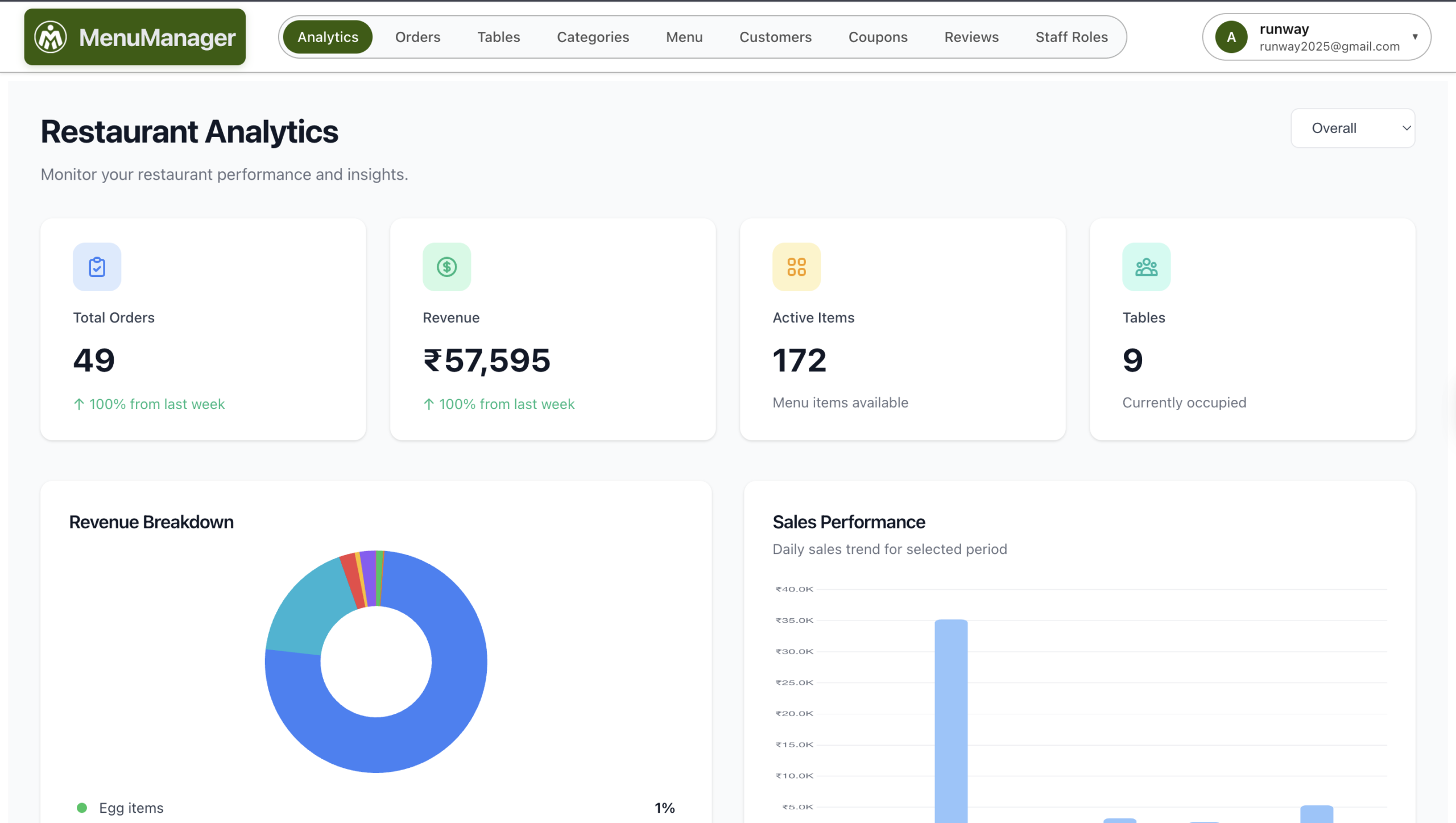
Digital systems give you data. Real numbers. Most popular items, peak ordering times, average order values. Use this to optimize your menu, adjust staffing, and make smart business decisions instead of guessing.
Getting Started (It Takes Just One Week)
You don’t need months to implement this. Here’s your one-week plan:
Day 1: Set up your account (30 minutes)
Sign up for a table ordering platform. Add your restaurant name, logo, and details. Upload your entire menu – item names, descriptions, prices. Add food photos if you have them (photos dramatically increase orders, but you can add them later too).
Generate QR codes for all your tables. Download them as a PDF.
That’s it. Thirty minutes and you’re done.
Day 2: Print and place QR codes (1 hour)
Print your QR codes on something durable – laminated cards work great. Those cheap paper printouts get destroyed quickly.
Stick one QR code in the middle of each table. Add simple text: “Scan to view menu and order.”
Test your WiFi at every table while you’re at it. Weak WiFi will kill this system.
Day 3: Train your team (2 hours)
Show your staff how to use the dashboard on their phones:
- Where new orders appear
- How to see which table ordered
- How to mark food as preparing or ready
- How to handle order changes
- How to add reservations
Run some practice orders. Let them play with it until it feels natural.
Days 4-7: Try it with real customers
Start with just a few tables. Keep your traditional service running as backup. Watch what happens. Help customers who need assistance scanning. Fix any problems you notice.
Common issues: weak WiFi in certain corners, older customers needing help, staff still learning the dashboard.
Week 2 onwards: Full rollout
Make QR ordering your main method. Still keep physical menus available for customers who prefer them. Monitor your analytics. Watch your labor costs drop.
Most restaurants are completely comfortable with the system by week 3.
What Works, What Doesn’t
What works:
Strong WiFi everywhere. Not just “pretty good WiFi.” Strong, reliable WiFi at every single table. This is non-negotiable. Weak internet means slow menus and angry customers.
Keeping it simple. Customer calls for reservation? Check availability, mark table reserved with their name and time. Done. Don’t create complicated booking procedures.
Helping customers cheerfully. Some people need help scanning QR codes, especially older folks. Train your staff to assist proactively and kindly. Good service means meeting customers where they are.
Having backup plans. Keep physical menus ready. Sometimes internet fails, phones die, or customers just prefer paper menus. Always have alternatives.
Using your data. Check which dishes sell most, what times are busiest. Adjust your menu and staffing based on real numbers, not hunches.
What doesn’t work:
Forcing everyone to use QR codes. Making it mandatory alienates customers who aren’t comfortable with technology.
Skimping on WiFi. Trying to save money on internet connection will cost you way more in frustrated customers.
Assuming staff will figure it out. Train properly. Don’t just throw them in the deep end.
Ignoring customer struggles. If multiple people have trouble with something, fix it immediately.
Never updating your menu. The whole point is easy updates. Use this feature regularly – mark items sold out, adjust prices, add specials.
Choosing Your Software
Look for platforms that promise setup in 30 minutes, not 3 days. If it requires technical knowledge, it’s too complicated.
Make sure each table gets its own QR code. Systems with just one QR code for the whole restaurant create confusion.
Dashboard should work on phones, tablets, and laptops. Your staff should be able to check orders on whatever device is handy.
Must have free trial period. Test with real customers before spending money.
Avoid platforms charging per-order fees. Monthly subscription is cleaner and more predictable.
The Money Talk
Let’s be real about costs.
Your current system costs annually:
- Three servers for orders: 4,32,000 rupees
- Reprinting menus quarterly: 32,000 rupees
- Order errors and waste: 15,000 rupees
- Total: About 4,79,000 rupees
Digital system costs annually:
- Software: 10,800 rupees
- One-time QR printing: 1,000 rupees
- One server for delivery: 1,44,000 rupees
- Total: About 1,55,800 rupees
You save over 3 lakh rupees every year.
Most restaurants break even in the first month.
Ready to Stop the Chaos?
Here’s the thing – every week you wait is another week of:
- Wasted money on excessive labor
- Lost customers frustrated by slow service
- Order errors damaging your reputation
- Reprinting costs you could avoid
Meanwhile, your competitors are already implementing these systems and winning customers with faster, better service.
Start with a free trial. Test it for two weeks with real customers. Track the results. The savings and efficiency will be obvious.
Your restaurant deserves better than chaos. Your staff deserves easier tools. Your customers deserve faster service. And you deserve better margins.
Time to make it happen.
Table management works even better when paired with a QR ordering system that increases cart values by 25-35%. Looking for more ways to grow your business? Check out our guide on 10 proven ways to increase restaurant revenue in 2026. Explore all MenuManager features to streamline your restaurant operations.
Frequently Asked Questions
What is table management software for restaurants?
Table management software is a digital system that helps restaurants track and manage every table’s status in real-time — from seating and ordering to billing. It replaces paper-based order taking with QR code ordering at each table, shows all active orders on a central dashboard, handles reservations, and provides analytics on sales patterns. Modern table management software works on any phone, tablet, or laptop without special hardware.
How does table management software reduce labor costs?
Table management software eliminates the need for dedicated order-taking servers. Instead of 3 servers at ₹12,000-15,000 each (₹36,000-45,000/month), restaurants typically need just 1 server focused on food delivery and customer service. The QR ordering system handles order-taking automatically — customers scan, browse, and order from their phones. This saves 30-40% on labor costs, or ₹10,800-18,000 per month for a typical restaurant.
Can table management software handle peak hours and rush periods?
Yes — this is one of the biggest advantages. With traditional service, 3 waiters can’t handle 20 tables ordering simultaneously, leading to long waits and walkouts. With QR-based table management, all tables can place orders at the same time. Orders flow directly to the kitchen dashboard in real-time, eliminating the bottleneck. Customers feel served immediately because they can browse and order the moment they sit down.
How long does it take to set up table management software?
Most table management platforms go from signup to live operation in under 30 minutes. Day 1: Create account and upload your menu (30 minutes). Day 2: Print and place QR codes on tables (1 hour). Day 3: Train staff on the dashboard (2 hours). Days 4-7: Soft launch with select tables. Most restaurants are fully comfortable by week 3. No technical knowledge or special equipment is required.
Does table management software work for small restaurants?
Table management software is especially beneficial for small restaurants where every rupee counts. Small restaurants with 10-20 tables can save 1-2 server salaries immediately. The software costs ₹800-1,500/month — far less than even one server’s salary. Small restaurants also benefit from error reduction (no wasted food from wrong orders), instant menu updates (no reprinting costs), and data insights that help optimize the limited menu and staff.
What happens if the internet goes down during service?
Always keep physical menus as backup. When internet drops, staff can take orders traditionally while the system is down. Most modern table management platforms also cache recent orders locally, so in-progress orders aren’t lost. To prevent internet issues, invest in reliable WiFi with boosters at every table, and consider a backup mobile hotspot for emergencies. Test WiFi strength at every seat before going live.
{
“@context”: “https://schema.org”,
“@type”: “FAQPage”,
“mainEntity”: [
{
“@type”: “Question”,
“name”: “What is table management software for restaurants?”,
“acceptedAnswer”: {
“@type”: “Answer”,
“text”: “Table management software is a digital system that helps restaurants track and manage every table’s status in real-time u2014 from seating and ordering to billing. It replaces paper-based order taking with QR code ordering at each table, shows all active orders on a central dashboard, handles reservations, and provides analytics on sales patterns. Modern table management software works on any phone, tablet, or laptop without special hardware.”
}
},
{
“@type”: “Question”,
“name”: “How does table management software reduce labor costs?”,
“acceptedAnswer”: {
“@type”: “Answer”,
“text”: “Table management software eliminates the need for dedicated order-taking servers. Instead of 3 servers at u20b912,000-15,000 each (u20b936,000-45,000/month), restaurants typically need just 1 server focused on food delivery and customer service. The QR ordering system handles order-taking automatically u2014 customers scan, browse, and order from their phones. This saves 30-40% on labor costs, or u20b910,800-18,000 per month for a typical restaurant.”
}
},
{
“@type”: “Question”,
“name”: “Can table management software handle peak hours and rush periods?”,
“acceptedAnswer”: {
“@type”: “Answer”,
“text”: “Yes u2014 this is one of the biggest advantages. With traditional service, 3 waiters can’t handle 20 tables ordering simultaneously, leading to long waits and walkouts. With QR-based table management, all tables can place orders at the same time. Orders flow directly to the kitchen dashboard in real-time, eliminating the bottleneck. Customers feel served immediately because they can browse and order the moment they sit down.”
}
},
{
“@type”: “Question”,
“name”: “How long does it take to set up table management software?”,
“acceptedAnswer”: {
“@type”: “Answer”,
“text”: “Most table management platforms go from signup to live operation in under 30 minutes. Day 1: Create account and upload your menu (30 minutes). Day 2: Print and place QR codes on tables (1 hour). Day 3: Train staff on the dashboard (2 hours). Days 4-7: Soft launch with select tables. Most restaurants are fully comfortable by week 3. No technical knowledge or special equipment is required.”
}
},
{
“@type”: “Question”,
“name”: “Does table management software work for small restaurants?”,
“acceptedAnswer”: {
“@type”: “Answer”,
“text”: “Table management software is especially beneficial for small restaurants where every rupee counts. Small restaurants with 10-20 tables can save 1-2 server salaries immediately. The software costs u20b9800-1,500/month u2014 far less than even one server’s salary. Small restaurants also benefit from error reduction (no wasted food from wrong orders), instant menu updates (no reprinting costs), and data insights that help optimize the limited menu and staff.”
}
},
{
“@type”: “Question”,
“name”: “What happens if the internet goes down during service?”,
“acceptedAnswer”: {
“@type”: “Answer”,
“text”: “Always keep physical menus as backup. When internet drops, staff can take orders traditionally while the system is down. Most modern table management platforms also cache recent orders locally, so in-progress orders aren’t lost. To prevent internet issues, invest in reliable WiFi with boosters at every table, and consider a backup mobile hotspot for emergencies. Test WiFi strength at every seat before going live.”
}
}
]
}

Leave a Reply