

QR code ordering systems are transforming how restaurants in India take orders, manage tables, and grow revenue. This complete 2026 guide covers what a QR ordering system actually is, how it works, key features to look for, real pricing in India, setup steps, and how restaurants are seeing 25-35% increases in average order value after switching.
What you will find in this guide:
- What is a QR code ordering system
- How QR code ordering works (4 steps)
- Key features of a QR ordering system
- Benefits for restaurants
- How QR ordering increases cart value 25-35%
- Cost and pricing in India
- How to set up QR ordering (6 steps)
- Industries using QR ordering
- QR ordering vs traditional ordering
- Frequently asked questions
What Is a QR Code Ordering System?
A QR code ordering system is a digital ordering platform that lets restaurant customers scan a QR code placed on their table, browse the menu on their own phone, place orders, and pay — without needing a waiter to take the order manually. Orders are sent instantly to the kitchen printer and billing system, freeing staff to focus on hospitality instead of order taking.
In plain terms:
- Customer side: Scan QR → browse menu → tap to order → pay digitally. No app download.
- Restaurant side: Orders arrive on a dashboard with table number, hit the kitchen printer, and update billing automatically.
- Owner side: Real-time sales data, customer database, and zero printing cost when the menu changes.
For restaurants in India, modern QR ordering systems start at ₹799/month with zero commission per order — making them a viable alternative to commission-heavy aggregators like Zomato and Swiggy.
How QR Code Ordering Works (4 Steps)
A QR ordering system works in four simple steps from scan to fulfilment:
- Customer scans the QR code. Every table has a unique QR code printed on a tent card or sticker. The customer points their phone camera at it — no app download needed — and the menu opens in the browser.
- Customer browses the digital menu. Categorised menu with photos, prices, descriptions, allergen info, and customisation options. Customers can take their time and explore the full menu privately.
- Customer places the order and pays. Items go into a cart, the customer can add notes or customisations, then submit. Payment happens via UPI, card, wallet, or at the counter — whatever the restaurant configures.
- Order reaches the kitchen and billing. The order appears instantly on the restaurant dashboard with the table number, is printed on the kitchen KOT printer, and is added to the billing software — no manual entry, no order errors.
The entire customer-side flow takes under two minutes, and orders typically reach the kitchen 60% faster than traditional waiter ordering.
Key Features of a QR Code Ordering System
A good QR code ordering system for restaurants should include these core features:
- Digital menu builder with photos, categories, modifiers, and instant updates
- Unique QR codes per table so the kitchen knows where to send the food
- KOT printer integration for direct kitchen ticket printing
- Online payment — UPI, cards, wallets, with auto-reconciliation
- Real-time order dashboard for staff to track every active table
- WhatsApp notifications for customer order updates and receipts
- Multi-language menus for tourist destinations
- Inventory tracking tied to menu items so out-of-stock items disappear automatically
- Customer data capture for direct marketing — your database, not the platform’s
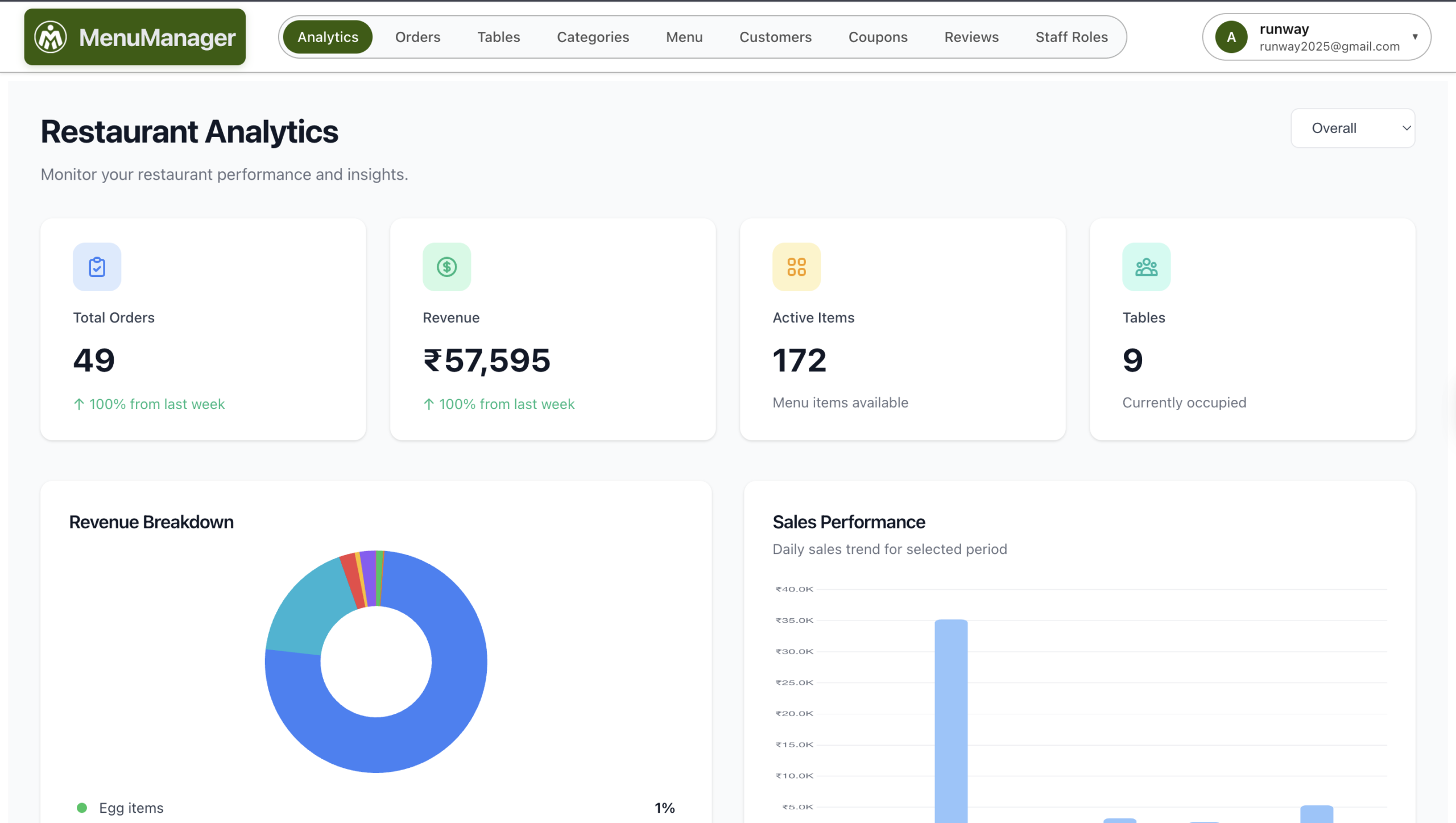
- Analytics — top items, peak hours, average order value, table turnover
Avoid platforms that lock you into commission per order or charge for menu updates — both signal a poor long-term fit.
Benefits of QR Code Ordering for Restaurants
QR code ordering delivers compounding benefits across revenue, operations, and customer experience:
- 25-35% higher average order value — customers spend more when they browse privately. See the detailed psychology and tactics below.
- Faster table turnover — orders reach the kitchen 60% faster, freeing tables 15-20% sooner during peak hours.
- Near-zero order errors — no transcription mistakes between waiter, kitchen, and bill.
- Lower staff dependency — one waiter can handle 12+ tables instead of 6, cutting labour cost.
- Instant menu updates — change a price, hide an item, add a special — zero printing cost.
- Customer database ownership — every order builds your direct marketing list. Aggregators do not share this.
- Contactless and hygienic — no shared paper menus, no handling cash, no waiting.
- Real analytics — know exactly which items sell, when, and to whom.
The Psychology Behind Higher Cart Values
When customers order through a waiter, social pressure kicks in. They feel rushed, judged, or embarrassed to ask questions. They stick to safe choices and skip extras.
QR ordering removes this friction entirely. Customers browse at their own pace, explore the full menu, and add items without anyone watching. This privacy creates comfort—and comfort creates spending.
The numbers don’t lie:
- Customers spend 20% more time browsing digital menus than physical ones
- Add-on acceptance rates jump from 8% (waiter upselling) to 30% (digital prompts)
- Dessert orders increase by 40% when suggested at the right moment
- Beverage attachment rates rise from 60% to 85%
7 Ways QR Ordering Increases Cart Value
1. Strategic Menu Positioning
Digital menus let you control exactly what customers see first. Place high-margin items at the top of categories. Feature “Chef’s Specials” prominently. Use “Popular” or “Bestseller” tags to guide decisions.
With printed menus, positioning is fixed. With digital menus, you can A/B test layouts and optimize based on real ordering data.
Impact: Restaurants report 15-20% increase in high-margin item sales after repositioning.
2. Visual Appetite Appeal
Photos sell food. It’s that simple. Customers are 2.5x more likely to order items with appetizing images.
Traditional menus have limited space for photos. Digital menus can showcase every dish in high quality. When customers see exactly what they’re getting—the sizzling paneer, the loaded pizza, the overflowing dessert—they order more.
Pro tip: Items with professional photos see 30% higher selection rates than text-only listings.
3. Automated Upselling Without the Awkwardness
Waiters often skip upselling. They’re busy, they forget, or they feel uncomfortable pushing extras. Digital systems never forget.
Effective automated prompts:
- “Add extra cheese for just ₹30?” – Appears when pizza is added to cart
- “Complete your meal with a refreshing beverage” – Shows after main course selection
- “Customers who ordered this also loved…” – Suggests complementary items
- “Upgrade to large for only ₹40 more” – Size upgrade prompts
These prompts appear at the perfect moment—when intent is highest—and disappear without pressure. Customers accept them 3-4x more often than verbal upsells.
4. Add-On Customization Made Easy
Asking a waiter for extra toppings, sauces, or sides can feel demanding. Tapping a button feels effortless.
Digital menus present all customization options clearly:
- Extra toppings: +₹20 each
- Premium sauce options: +₹15
- Side upgrades: +₹40
- Double portion: +₹80
When options are visible and one-tap away, customers add them. Average customization revenue per order increases by ₹35-60.
5. Combo and Bundle Visibility
Combo deals increase perceived value and average order size simultaneously. But waiters often forget to mention them, or customers don’t ask.
Digital menus can prominently display:
- “Save ₹50: Get the Combo” – Appears when customer adds eligible items
- “Family Feast: 2 Mains + 2 Sides + 2 Drinks = ₹799” – Featured at top
- “Add dessert for just ₹49 with any main” – Conditional offers
Customers love feeling smart about their purchases. Combos give them that satisfaction while increasing your ticket size by 20-30%.
6. No Ordering Fatigue
With traditional ordering, customers often stop after their main items. They don’t want to keep the waiter waiting, or they forget about appetizers and desserts.
QR ordering allows multiple ordering sessions throughout the meal:
- Initial order: Drinks and starters
- 10 minutes later: Main course
- After eating: “Actually, let’s get dessert too”
- Before leaving: “One more round of drinks”
Each additional order adds to the running bill seamlessly. Restaurants using multi-session ordering see 15-25% higher per-table revenue.
7. Descriptive Selling Power
Waiters can’t recite detailed descriptions for every dish. Digital menus can.
Compare:
❌ Waiter: “It’s chicken in a curry sauce”
✅ Digital menu: “Slow-cooked tender chicken in rich, aromatic cashew-based gravy, finished with fresh cream and a hint of cardamom. Served with butter naan.”
Sensory descriptions increase perceived value. Customers willingly pay more for dishes that sound premium—even if the recipe is the same.
Studies show descriptive menu language increases item selection by 27% and justifies 10-15% higher pricing.
Real Numbers: The Cart Value Impact
Let’s break down actual revenue impact with realistic numbers:
Traditional ordering (per table of 4):
- 4 main courses: ₹800
- 2 beverages: ₹100
- No starters (forgot to offer): ₹0
- No dessert (customers didn’t ask): ₹0
- Total: ₹900
QR ordering (same table of 4):
- 4 main courses: ₹800
- 4 beverages (easy to add): ₹200
- 2 starters (saw photos, looked good): ₹240
- 2 desserts (prompt after mains): ₹180
- Add-ons and extras: ₹80
- Total: ₹1,500
That’s 67% higher revenue from the same table.
Scale this across 50 tables daily, and you’re looking at ₹30,000+ additional revenue per day—₹9 lakh+ per month.
QR Code Ordering System Cost & Pricing in India (2026)
QR code ordering systems in India fall into three pricing models. Understanding which fits your restaurant matters more than picking the cheapest one, because commission-based plans look cheap but quietly multiply your costs as orders grow.
| Pricing Model | Typical Range | Best For |
|---|---|---|
| Flat fee, zero commission | ₹799-1,500/month | Single-outlet restaurants, cafes, dhabas — predictable costs as volume grows |
| Commission per order | 3-8% of order value | Low-volume outlets only — becomes expensive past 200 orders/month |
| Enterprise (full POS + inventory) | ₹3,000-8,000/month | Multi-outlet chains, fine dining, hotels needing centralised reporting |
Real cost math: A restaurant doing ₹8 lakh monthly revenue pays roughly ₹24,000-64,000/month in commissions on a 3-8% plan. The same restaurant on a flat ₹999/month plan saves ₹23,000-63,000 every month — that is ₹3-7 lakh saved per year.
Hardware cost is negligible — you only need printed QR codes (₹200-500 for the whole restaurant) and a smartphone or tablet for the dashboard. No POS terminals, no scanners, no kitchen displays required (though they integrate if you already have them).
For a side-by-side comparison of the seven leading QR ordering platforms in India with pricing, features, and honest reviews, read our guide to the best QR code ordering systems for Indian restaurants in 2026.
How to Set Up a QR Code Ordering System (Step-by-Step)
Most restaurants go from zero to live in under an hour. The full setup is six steps:
- Sign up for the platform. Pick a flat-fee zero-commission provider if you want predictable costs. Most offer a 14-30 day free trial — use it.
- Upload your menu. Add categories, items, prices, photos, and any modifiers (size, spice level, add-ons). Good platforms ship with templates so you can be done in 30 minutes.
- Map your tables. The dashboard generates a unique QR code per table. Label them clearly (Table 1, Table 2, etc.) so the kitchen knows where the order goes.
- Print and place the QR codes. Print on cardstock or laminate them. Place on tent cards, table stickers, or menu holders. Total printing cost: ₹200-500.
- Train your staff. 15 minutes is usually enough — show waiters how to confirm orders, mark items unavailable, and handle special requests. Keep a printed backup menu for first-time guests.
- Go live and monitor. Watch the first day orders closely, note any menu gaps or pricing surprises, and adjust. Most teething issues vanish in 48 hours.
Expect customer adoption of 60-70% in week one and 85%+ within a month, as regulars get used to the flow.
Implementing Cart Value Optimization
Here’s how to maximize average order value with your QR ordering system:
Step 1: Photograph Everything
Invest in quality food photography. Every item should have an appetizing image. No photo means lost sales.
Budget option: Good smartphone + natural lighting + consistent backgrounds. Professional option: One-time photoshoot for ₹5,000-10,000 that pays for itself in a week.
Step 2: Write Compelling Descriptions
Use sensory words: crispy, tender, aromatic, rich, creamy, fresh. Mention cooking methods: slow-cooked, charcoal-grilled, hand-tossed. Add origin stories: “Traditional recipe from Lucknow.”
Step 3: Create Strategic Add-Ons
For every main item, create 2-3 relevant add-ons:
- Biryani → Extra raita (₹30), Salan (₹40), Double portion (₹120)
- Pizza → Extra cheese (₹50), Stuffed crust (₹70), Dip combo (₹45)
- Burger → Upgrade to large (₹40), Extra patty (₹80), Loaded fries (₹60)
Step 4: Build Smart Combos
Create bundles that offer value while increasing total spend:
- Individual items: ₹350 → Combo price: ₹299 (customer saves ₹51, you sell more)
- Lunch combos for quick ordering
- Family deals for larger groups
- Couple specials for date nights
Step 5: Position High-Margin Items
Place your most profitable items:
- First in each category (primary attention)
- With “Popular” or “Chef’s Special” badges
- In a dedicated “Recommended” section
Step 6: Set Up Timed Prompts
Configure your system to suggest:
- Beverages when appetizers are added
- Sides when mains are selected
- Desserts at checkout
- “Anything else?” before final confirmation
Industries That Use QR Code Ordering
QR ordering systems started in fine dining but have spread across the entire hospitality and food service stack in India:
- Full-service restaurants — the biggest adopter; replaces waiter order-taking entirely while keeping hospitality high-touch.
- Cafes and coffee shops — counters get long fast at peak hours; QR ordering at the table solves it.
- Dhabas and roadside eateries — single-waiter setups benefit the most from automation.
- Food courts — one QR per stall lets diners order from multiple kitchens in a single visit.
- Bars and pubs — easier reorders during peak hours when waiters cannot keep up.
- Cloud kitchens with dine-in counters — same system handles delivery, takeaway, and dine-in.
- Hotels and resorts — in-room dining, poolside service, and banquet ordering through a single platform.
- Banquet halls and event venues — guests order without flagging down event staff.
Common Mistakes That Kill Cart Value
❌ No photos: Text-only menus lose 30%+ potential orders
❌ Hidden add-ons: If customers can’t find extras easily, they won’t order them
❌ Complicated navigation: Confusing menus frustrate customers into ordering less
❌ No combo visibility: Buried bundle deals don’t get ordered
❌ Aggressive pop-ups: Too many interruptions annoy customers and reduce spending
❌ Slow loading: Every second of delay loses potential add-ons
Measuring Your Success
Track these metrics before and after implementing QR ordering:
- Average order value (AOV): Total revenue ÷ number of orders
- Items per order: Are customers ordering more variety?
- Add-on attachment rate: Percentage of orders with extras
- Beverage attachment rate: Drinks ordered with food
- Dessert conversion rate: Percentage ordering desserts
- Combo uptake: How many choose bundle deals
Most restaurants see measurable improvement within the first week. Full optimization takes 30-60 days as you refine positioning and prompts based on data.
The Bottom Line
QR ordering isn’t just about reducing labor costs—it’s a powerful revenue optimization tool. By removing social friction, enabling visual selling, and automating upsells, digital ordering consistently increases cart value by 25-35%.
For a restaurant doing ₹3 lakh monthly revenue, that’s ₹75,000-1,00,000 additional income—from the same number of customers, without any extra marketing spend.
The investment is minimal. The returns are substantial. And customers actually prefer the experience.
QR ordering also helps during challenging times — like the current LPG shortage crisis, where faster table turnover means fewer operating hours and less gas burned. For a complete cost-reduction strategy, see our guide on how to reduce restaurant operating costs.
Start with a free trial, implement these optimization strategies, and watch your average order value climb. Your customers want to spend more—you just need to make it easy for them.
Want to get started with QR ordering? Our comparison of the 7 best QR ordering systems in India helps you pick the right platform and pricing model for your restaurant. You can also optimize your floor operations with table management software to track every order across all tables in real-time. Explore all MenuManager features to see how digital ordering can maximize your restaurant revenue.
QR Code Ordering vs Traditional Ordering — Side-by-Side
The case for switching becomes obvious when you compare the two ordering models on the metrics that actually move revenue:
| Metric | Traditional Ordering | QR Code Ordering |
|---|---|---|
| Average order value | Baseline | +25-35% |
| Time from sit-down to order placed | 8-12 min | 2-4 min |
| Order errors per 100 orders | 4-7 | Less than 1 |
| Menu update cost | ₹3,000-8,000 reprint | Zero |
| Tables per waiter (peak) | 5-6 | 10-12 |
| Customer data captured | None | Phone, email, order history |
| Payment options | Cash + card terminal | UPI, cards, wallets, all at once |
| Hygiene and contactlessness | Shared menus | Fully contactless |
Frequently Asked Questions
What is a QR code ordering system?
A QR code ordering system is a digital ordering platform that lets restaurant customers scan a QR code at their table, browse the menu on their phone, place orders, and pay — without needing a waiter to take the order. Orders are sent directly to the kitchen and billing system, reducing errors and freeing staff for hospitality. For restaurants in India, modern QR ordering systems start at ₹799/month with zero commission per order.
How does a QR code ordering system work?
A QR code ordering system works in four steps: (1) The customer scans a QR code placed on their table using their phone camera — no app download required. (2) The digital menu opens in the browser with photos, prices, and descriptions. (3) The customer adds items to cart, customises options, and places the order. (4) The order is instantly sent to the kitchen printer (KOT) and billing software, and the customer pays via UPI, card, or at the counter.
What is the difference between a QR menu and a QR ordering system?
A QR menu is read-only — customers can scan and view the menu, but they still need a waiter to place the order. A QR code ordering system goes further: customers can place orders, customise items, and pay directly from their phone. The QR ordering system also sends orders to the kitchen, integrates with billing and inventory, and captures customer data — which a static QR menu cannot do.
How much does a QR code ordering system cost in India?
QR code ordering systems in India range from ₹799 to ₹5,000+ per month depending on features. Flat-fee zero-commission platforms like MenuManager start at ₹799/month with unlimited orders. Commission-based platforms charge 3-8% per order, which becomes expensive as volume grows. Enterprise platforms with full POS, inventory, and CRM integration cost ₹3,000-8,000/month. There are no hardware costs — you only need printed QR codes (₹200-500) and a smartphone or tablet for the dashboard.
Do QR code ordering systems actually increase restaurant revenue?
Yes. Restaurants using QR code ordering systems report a 25-35% increase in average order value compared to traditional waiter ordering. The main drivers are: customers browse the full menu (longer time on menu = larger orders), digital upselling prompts at 30% acceptance versus 8% for waiter upselling, dessert orders rise 40% with timed prompts, and beverage attachment rates rise from 60% to 85%. Faster table turnover from quicker ordering adds another 15-20% revenue lift during peak hours.
Which is the best QR code ordering system for restaurants in India?
The best QR code ordering system depends on your restaurant type. For single-outlet restaurants, cafes, and dhabas, MenuManager offers the best value with zero commission, WhatsApp integration, and 30-minute setup from ₹799/month. For multi-outlet chains, PetPooja provides centralised management. For fine-dining and hotels, EazyDiner Inresto covers the full guest experience. Compare all 7 best QR ordering platforms in our detailed guide before choosing.
Can small restaurants and cafes use QR code ordering?
Absolutely — QR code ordering is especially valuable for small restaurants, dhabas, and cafes because it eliminates the need for dedicated order-taking staff. You only need a smartphone or tablet for the dashboard, stable mobile data or WiFi, and printed QR codes. With platforms starting at ₹799/month and zero hardware investment, the system pays for itself within weeks through reduced ordering errors, faster service, and higher average order value.
How long does it take to set up a QR code ordering system?
Setting up a QR code ordering system takes 30 minutes to 2 hours depending on menu size. The six-step process is: (1) Sign up for the platform, (2) upload your menu with photos and prices, (3) map your tables to unique QR codes, (4) print and place the QR codes on tables, (5) train staff on the order dashboard, (6) go live. Most modern platforms offer free onboarding support and pre-built menu templates to speed this up.
Is QR code ordering safe and contactless?
Yes. QR code ordering is fully contactless — customers scan the code with their own phone, browse the menu in their browser, and order without touching any shared surface. Payment is handled digitally via UPI, card, or wallet. There is no need to share menus, hand over cash, or wait for waiters, making it the hygienic standard for restaurants post-COVID. Most platforms also use secure HTTPS, so customer data and payment information remain protected.
Does a QR code ordering system require WiFi or work offline?
A QR code ordering system requires an active internet connection for both the customer (to load the menu) and the restaurant (to receive orders on the dashboard). Customers can use their own mobile data if your WiFi is unreliable. For locations with patchy internet, invest in a reliable broadband connection with a 4G mobile hotspot as backup. Some advanced platforms cache menu data locally for resilience but order placement still needs connectivity.

Leave a Reply