

India’s QR code ordering market has exploded — over 15 platforms now compete for your restaurant’s business. From free add-ons bundled with POS systems to standalone ordering platforms charging per transaction, the options are overwhelming.
Most restaurant owners pick a system based on whoever their POS vendor recommends or which sales rep called first. That’s how you end up paying per-order commissions, locked into long contracts, or wrestling with software that takes weeks to figure out.
We compared the 7 best QR code ordering systems for Indian restaurants in 2026. This guide covers real pricing in INR, features that matter for Indian operations, hidden costs, and which platform fits your restaurant type — so you can decide without sitting through sales pitches.
What Makes a Good QR Ordering System?
Before comparing platforms, here are the criteria that actually separate good QR ordering systems from frustrating ones in the Indian context:
Zero commission vs. commission-based: Some platforms take 3-8% of every order. On monthly revenue of ₹5 lakh, that’s ₹15,000-40,000 gone — every single month. Flat monthly fee platforms cost the same whether you do 100 or 10,000 orders. For most restaurants, zero-commission models save lakhs annually.
Setup time and learning curve: If your staff needs a week of training to use the system, something is wrong. The best platforms go from signup to live QR ordering in under 30 minutes — with no technical knowledge required.
India-specific features: WhatsApp bill sharing, UPI payment integration, multi-language menus (Hindi, Tamil, Kannada, etc.), GST-compliant billing, and table-wise ordering are non-negotiable for Indian restaurants. Many international platforms lack these entirely.
No app download for customers: Any system requiring customers to download an app will lose 60-70% of users at the door. The QR code should open a browser-based menu instantly — zero friction.
Transparent pricing: Watch for hidden costs — setup fees, per-scan charges, payment gateway commissions stacked on top of platform fees, and mandatory annual contracts. The best platforms list everything upfront.
Reliable support: When your ordering system goes down during Saturday dinner rush, you need help in minutes, not days. Check whether support is phone/WhatsApp-based (fast) or email-only (slow).
Top 7 QR Code Ordering Systems for Indian Restaurants (2026)
1. MenuManager — Best Overall for Zero-Commission QR Ordering
Best for: Single-location restaurants, cafes, dhabas, and cloud kitchens wanting simple, affordable QR ordering without per-order fees.
MenuManager is purpose-built for Indian restaurants that want QR code ordering without the complexity of a full POS system. The core promise: zero commission on every order, forever. You pay a flat monthly fee regardless of order volume.
Setup genuinely takes under 30 minutes. Add your menu items, generate table-specific QR codes, print them, and you’re live. No technical setup, no hardware requirements — the dashboard runs on any phone, tablet, or laptop browser.
Key features:
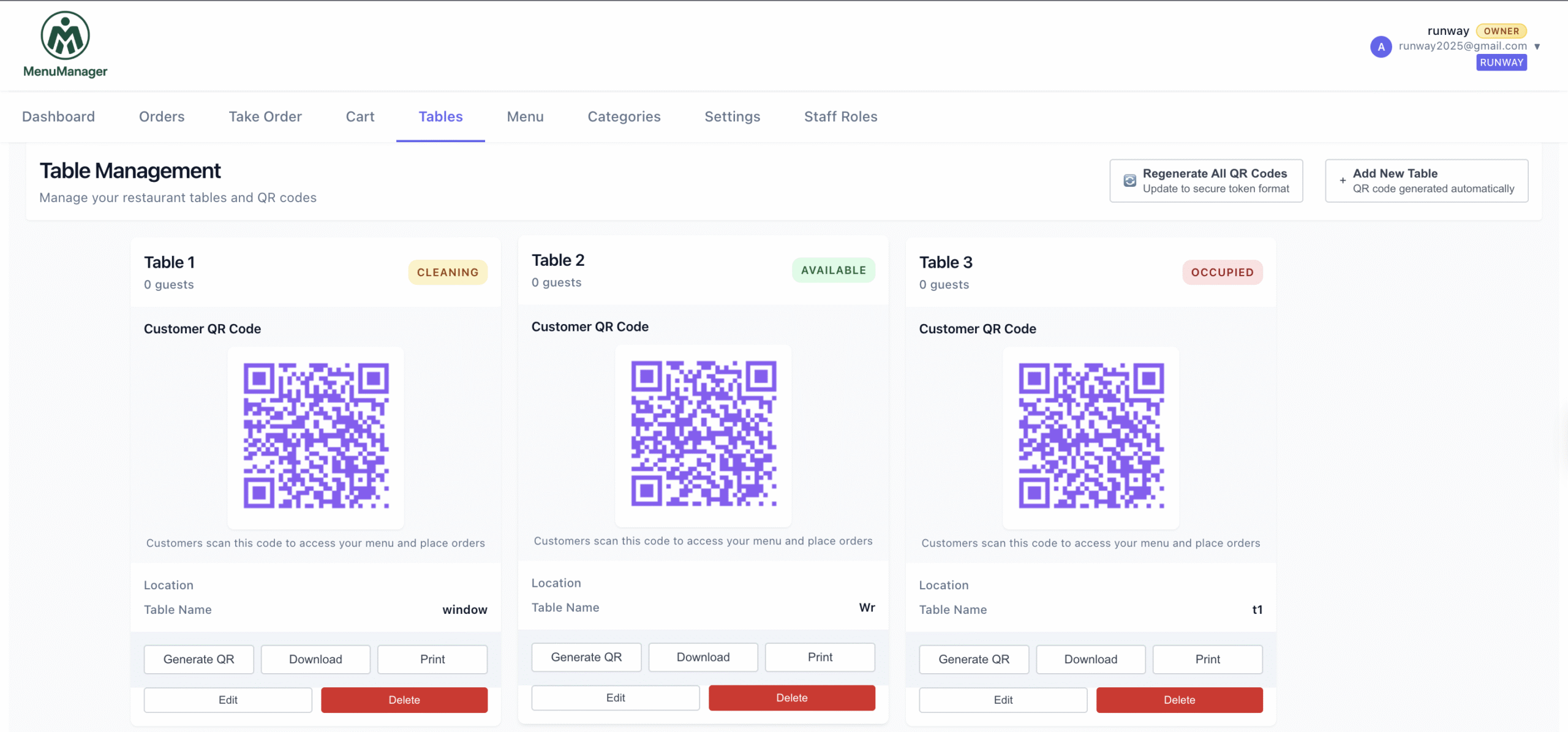
- Table-wise QR codes with automatic table identification
- Real-time order dashboard accessible from any device
- WhatsApp bill sharing and customer communication
- Digital menu with photos, descriptions, and instant updates
- Automatic customer database from every order
- Multi-language menu support
- Mark items out-of-stock in real time
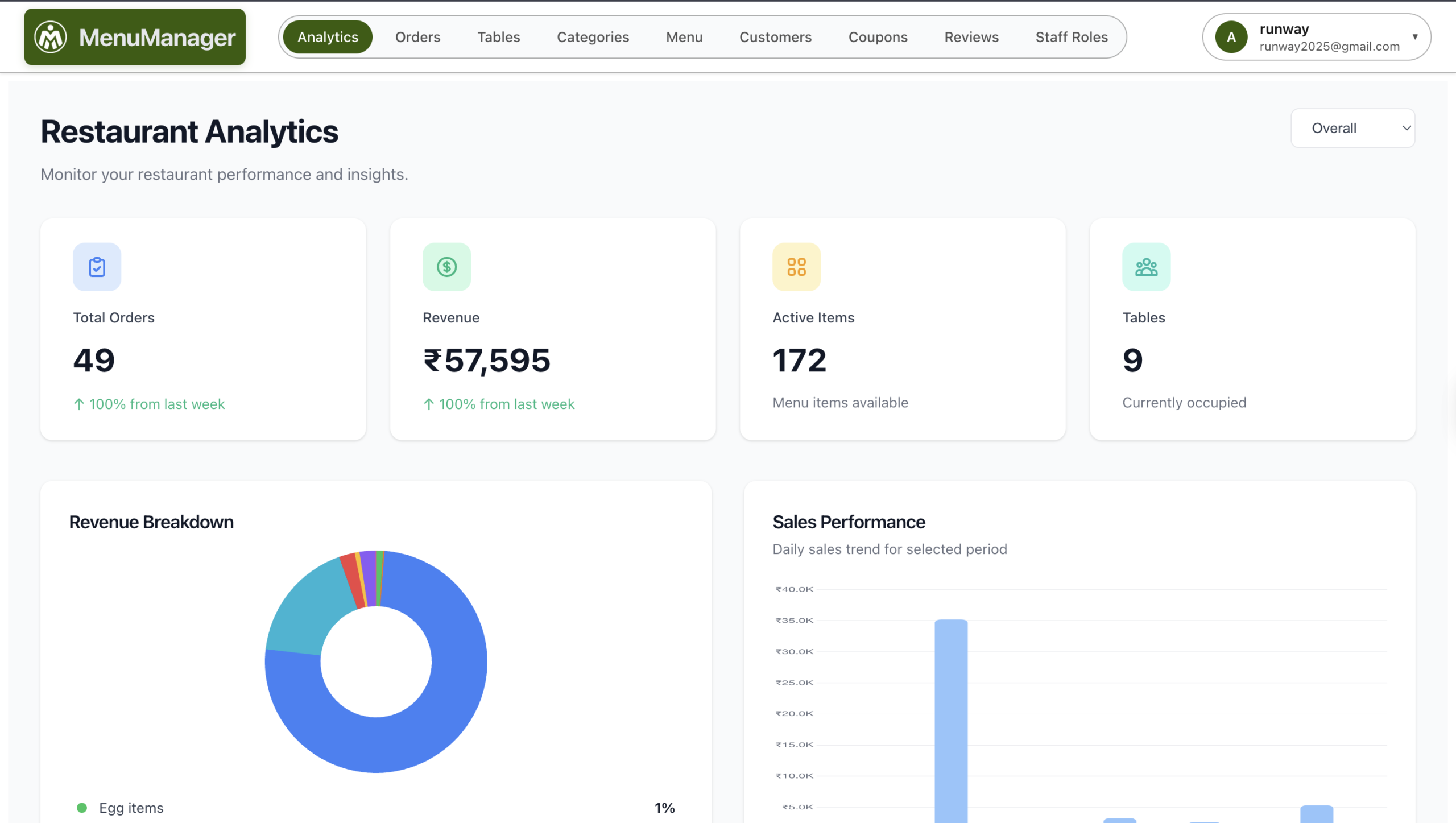
- Analytics on popular items, peak hours, and order patterns
Pricing: Plans start from ₹799/month with a 14-day free trial. No setup fees. No per-order commission. No annual contract required.
Pros:
- Genuinely zero commission — flat fee regardless of order volume
- Easiest setup among all platforms tested (under 30 minutes)
- WhatsApp integration for billing and customer follow-up
- No hardware required — works on existing devices
- Responsive support via WhatsApp
Cons:
- Not a full POS replacement — focused specifically on QR ordering and digital menus
- Limited integrations with third-party delivery platforms
Verdict: If you want QR code ordering that works, costs predictably, and doesn’t eat into your margins with commissions — MenuManager is the strongest choice for most Indian restaurants. It does one thing and does it well. View MenuManager pricing
2. Jeevi.ai — Best AI-Powered QR Ordering
Best for: Tech-forward restaurants interested in AI-driven menu recommendations and customer insights.
Jeevi.ai brings artificial intelligence into restaurant ordering. Beyond standard QR ordering, their platform uses AI to suggest menu items to customers based on time of day, weather, trending dishes, and past ordering patterns.
The AI angle is genuinely interesting — it can increase average order value by recommending add-ons and combos intelligently rather than randomly. The platform also provides AI-powered analytics that surface insights most restaurant owners would miss.
Key features:
- AI-powered menu recommendations for customers
- QR code ordering with digital menu
- Smart upselling suggestions based on order patterns
- AI analytics dashboard with actionable insights
- Multi-language support
- Online ordering integration
Pricing: Custom pricing based on restaurant size and features required. Contact Jeevi.ai for a quote.
Pros:
- AI recommendations can meaningfully boost average order value
- Advanced analytics beyond what basic platforms offer
- Modern tech stack with regular feature updates
Cons:
- Custom pricing means no upfront transparency — you must talk to sales
- AI features require sufficient order volume to be useful
- Newer platform with a smaller user base compared to established players
Verdict: Interesting for restaurants with high order volume that want to leverage AI for upselling. But the opaque pricing and sales-driven onboarding may not suit smaller restaurants wanting quick, simple QR ordering.
3. PetPooja — Best for Multi-Outlet Restaurant Chains
Best for: Restaurant chains, multi-outlet operations, and businesses needing a complete restaurant management suite.
PetPooja is one of India’s largest restaurant technology platforms, serving over 65,000 restaurants. QR ordering is one module within their comprehensive suite that includes POS, inventory management, CRM, kitchen display systems, and third-party aggregator integration.
If you’re running multiple outlets and need centralized menu management, PetPooja’s strength is managing everything from one dashboard. Their QR ordering ties directly into the POS and kitchen systems — orders flow seamlessly from customer phone to kitchen screen.
Key features:
- QR ordering integrated with full POS system
- Centralized multi-outlet management
- Kitchen display system (KDS) integration
- Inventory tracking and stock alerts
- Third-party aggregator integration (Zomato, Swiggy)
- CRM and customer loyalty programs
- Detailed reporting across all locations
Pricing: Starts from approximately ₹1,500-3,000/month depending on modules selected. Hardware (POS terminal, KDS screens) costs extra. Contact PetPooja for exact quotes based on your requirements.
Pros:
- Complete restaurant management — not just QR ordering
- Proven at scale with 65,000+ restaurant deployments
- Strong multi-outlet centralized control
- Deep integrations with Zomato, Swiggy, and other aggregators
Cons:
- Overkill and expensive if you only need QR ordering
- Longer setup and training time (days, not minutes)
- Hardware costs add up for full POS deployment
- QR ordering is a feature within the suite, not the core focus
Verdict: The right choice if you’re running a chain and need POS, inventory, CRM, and QR ordering under one roof. But for single-location restaurants wanting just QR ordering, PetPooja’s complexity and cost don’t justify the investment.
4. DotPe — Best for High-Volume Payment Integration
Best for: High-volume outlets prioritizing digital payments and a complete scan-order-pay flow.
DotPe, backed by Google, built its reputation on enabling digital commerce for offline businesses. Their QR ordering solution integrates tightly with payment processing — customers can scan, order, and pay in one seamless flow.
DotPe’s strength is the payments infrastructure. If you want customers to complete the entire journey — browse menu, order, pay — without any staff interaction, DotPe handles this well. They support UPI, cards, wallets, and other payment methods popular in India.
Key features:
- QR ordering with integrated payment gateway
- UPI, card, and wallet payment acceptance
- Digital storefront for online ordering
- Order management dashboard
- Customer data collection and insights
- Social media ordering integration
Pricing: DotPe’s pricing model has varied — they’ve offered commission-based and subscription models at different times. Current pricing requires contacting their sales team. Watch for payment gateway transaction fees that may stack on top of platform costs.
Pros:
- Seamless scan-order-pay flow reduces staff involvement to zero
- Strong payment infrastructure with multiple payment options
- Google-backed with significant investment and development
- Excellent for reducing cash handling completely
Cons:
- Pricing structure not always transparent — check for per-transaction fees
- More focused on payments than restaurant-specific operations
- Less robust menu management compared to restaurant-focused platforms
- Setup requires more configuration for payment integrations
Verdict: Strong choice if your primary goal is enabling scan-order-pay with minimal staff interaction and robust payment processing. Less ideal if you need detailed restaurant management features like table mapping or WhatsApp-based billing.
5. Thrive — Best for Direct Online Ordering Focus
Best for: Restaurants wanting to build direct online ordering channels and reduce dependence on Zomato and Swiggy.
Thrive positions itself as the commission-free alternative to food delivery aggregators. While it includes QR dine-in ordering, its real strength is building your own branded online ordering website — helping you take delivery orders directly without paying 25-30% aggregator commissions.
The QR ordering module works well for dine-in, but it’s clearly a secondary feature. If you’re primarily solving for dine-in QR ordering, other platforms on this list are more focused. But if your bigger problem is aggregator commissions bleeding your delivery margins, Thrive addresses both dine-in and delivery ordering in one platform.
Key features:
- Branded online ordering website builder
- QR code dine-in ordering
- Commission-free direct ordering model
- Delivery management and rider tracking
- Customer marketing tools (SMS, email, WhatsApp)
- Loyalty programs and promotional offers engine
Pricing: Subscription-based with plans varying by features. Typically starts from ₹2,000-4,000/month. Free trial available on select plans.
Pros:
- Solves both dine-in and delivery ordering in one platform
- Commission-free model saves significantly versus aggregators
- Good marketing and loyalty tools built in
- Branded ordering experience for your restaurant
Cons:
- QR dine-in ordering is secondary to the online ordering focus
- Higher price point than QR-only solutions
- More complex setup due to delivery and online ordering features
- Paying for delivery features you won’t use if you’re dine-in only
Verdict: Best choice if your main pain point is aggregator commissions on delivery and you also want QR dine-in ordering. If you only need QR ordering for dine-in service, simpler and cheaper options exist.
6. EazyDiner Inresto — Best for Fine Dining and Premium Restaurants
Best for: Fine dining restaurants, premium cafes, and venues prioritizing guest experience management over pure cost optimization.
Inresto by EazyDiner is the restaurant-side technology platform from India’s premium dining reservation app. Their QR ordering exists within a broader guest management suite — table reservations, feedback management, valet parking coordination, and CRM.
The platform shines in guest experience. Rather than just replacing order-taking, Inresto aims to manage the entire guest journey from reservation to post-visit feedback. For premium restaurants where customer experience justifies higher technology costs, this comprehensive approach makes sense.
Key features:
- QR ordering with premium menu presentation
- Table reservation and waitlist management system
- Guest feedback and review collection
- CRM with guest preferences and visit history
- Valet management module
- Marketing automation for guest engagement
- Integration with EazyDiner’s consumer app for discovery
Pricing: Premium pricing — contact Inresto for custom quotes. Generally suited for restaurants with higher average order values that can justify the investment.
Pros:
- Complete guest experience management beyond just ordering
- Premium presentation suitable for fine dining environments
- Built-in visibility through EazyDiner’s consumer platform
- Strong CRM for building long-term guest relationships
Cons:
- Expensive — not viable for budget-conscious restaurants
- Overkill if you just need simple QR ordering
- Longer implementation timeline compared to standalone platforms
- Custom pricing means no upfront cost visibility
Verdict: The right fit for upscale restaurants that see technology as part of their guest experience strategy and have the budget to match. Not economical for casual dining, dhabas, or small cafes.
7. OneHubPOS — Best All-in-One Cloud POS with QR Ordering
Best for: Restaurants wanting to replace their existing billing/POS system entirely with a modern cloud-based solution that includes QR ordering.
OneHubPOS is a cloud-based point-of-sale system designed for Indian restaurants. QR ordering is built into the POS — so dine-in QR orders, takeaway orders, and counter billing all flow through one unified system. If you’re currently using a legacy billing software and want to modernize everything at once, OneHubPOS lets you upgrade your POS and add QR ordering simultaneously.
Key features:
- Cloud-based POS with QR ordering built in
- Unified billing for dine-in, takeaway, and delivery
- Kitchen order tickets and KDS support
- Inventory management with stock tracking
- GST-compliant billing and tax reporting
- Daily sales reporting and analytics
- Staff management and shift tracking
Pricing: Subscription-based, typically starting from ₹1,000-2,500/month depending on features and plan. Some plans include hardware bundles at additional cost.
Pros:
- Complete POS replacement — billing, ordering, and management in one system
- Cloud-based means access from anywhere, no data loss
- QR ordering natively integrated (not bolted on as an afterthought)
- GST-compliant billing built in from the ground up
Cons:
- Requires replacing your existing billing system entirely
- Staff retraining needed for the new POS workflow
- Potentially disruptive switchover during the initial weeks
- May need hardware investment depending on your current setup
Verdict: Makes sense if your existing POS/billing software is outdated and you’re ready for a full upgrade. If your billing setup works fine and you just want to add QR ordering on top, a standalone solution is simpler and less disruptive.
Feature-by-Feature Comparison Table
Here’s how all 7 QR code ordering systems stack up across the features that matter most for Indian restaurants:
| Feature | MenuManager | Jeevi.ai | PetPooja | DotPe | Thrive | Inresto | OneHubPOS |
|---|---|---|---|---|---|---|---|
| QR Table Ordering | ✅ | ✅ | ✅ | ✅ | ✅ | ✅ | ✅ |
| Zero Commission | ✅ | Varies | Varies | Varies | ✅ | Varies | Varies |
| WhatsApp Integration | ✅ | ✅ | ✅ | Limited | ✅ | ✅ | Limited |
| UPI Payments | ✅ | ✅ | ✅ | ✅ | ✅ | ✅ | ✅ |
| Multi-Language Menu | ✅ | ✅ | ✅ | Limited | Limited | ✅ | Limited |
| AI Recommendations | — | ✅ | — | — | — | — | — |
| Full POS System | — | — | ✅ | — | — | — | ✅ |
| Table Management | ✅ | Limited | ✅ | Limited | Limited | ✅ | ✅ |
| Analytics Dashboard | ✅ | ✅ (AI) | ✅ | ✅ | ✅ | ✅ | ✅ |
| No App Download | ✅ | ✅ | ✅ | ✅ | ✅ | ✅ | ✅ |
| Free Trial | 14 days | Demo only | Demo only | Varies | Varies | Demo only | Varies |
| Setup Time | 30 min | 1-2 days | 3-7 days | 1-2 days | 1-3 days | 3-7 days | 2-5 days |
Pricing Comparison: What QR Ordering Actually Costs in India (2026)
Pricing is where most restaurant owners get surprised. The monthly subscription is just one piece — transaction fees, setup charges, hardware costs, and hidden commissions can multiply your actual cost by 2-3x. Here’s an honest breakdown:
| Platform | Starting Price | Per-Order Commission | Setup Fee | Annual Contract |
|---|---|---|---|---|
| MenuManager | ₹799/month | Zero | None | Not required |
| Jeevi.ai | Custom quote | Varies by plan | Varies | Contact sales |
| PetPooja | ₹1,500+/month | Varies by plan | Hardware extra | Often required |
| DotPe | Contact sales | Transaction fees apply | Varies | Varies |
| Thrive | ₹2,000+/month | Zero on direct orders | None | Varies |
| Inresto | Custom quote | Varies | Varies | Often required |
| OneHubPOS | ₹1,000+/month | None on POS orders | Hardware may apply | Varies |
Real Cost Example: A 50-Cover Restaurant
Let’s calculate the actual annual cost for a typical 50-cover restaurant doing ₹8 lakh monthly revenue through QR orders:
Zero-commission platform (like MenuManager):
- Platform fee: ₹799 × 12 = ₹9,588/year
- Per-order commission: ₹0
- Setup/hardware: ₹0
- Total annual cost: ₹9,588
Commission-based platform (5% per order):
- Platform fee: ₹1,500 × 12 = ₹18,000/year
- Per-order commission: ₹8,00,000 × 5% × 12 = ₹4,80,000/year
- Setup/hardware: ₹10,000-25,000 (one-time)
- Total annual cost: ₹5,08,000-5,23,000
The difference: nearly ₹5 lakh per year. That’s money going to the platform instead of staying in your business. Even at just 3% commission, you’re losing ₹2,88,000 annually. Commission models become increasingly expensive as your business grows — the more successful you are, the more you pay.
How to Choose the Right QR Ordering System for Your Restaurant
Different restaurant types have different priorities. Here’s which platform type fits best based on your situation:
Single-Location Restaurants and Dhabas
Priority: Low cost, simple setup, zero commission.
Best choice: MenuManager — purpose-built for this use case. Flat monthly fee, no complexity, running in 30 minutes. A dhaba doing ₹3-5 lakh monthly saves nothing by paying for enterprise features it’ll never use.
Multi-Outlet Restaurant Chains
Priority: Centralized management, reporting across locations, integration with existing POS.
Best choice: PetPooja — designed for scale. Centralized menu management across outlets with location-specific pricing and consolidated reporting. The higher cost is justified when managing 5+ locations from one dashboard.
Cloud Kitchens
Priority: Online ordering first, minimal dine-in focus, reducing aggregator commission dependence.
Best choice: Thrive — strongest direct ordering and delivery management toolset. Cloud kitchens bleed margins on aggregator commissions, and Thrive directly addresses this. QR dine-in ordering is secondary since cloud kitchens have limited or no dine-in seating.
Fine Dining and Premium Cafes
Priority: Guest experience, premium presentation, reservation management, CRM.
Best choice: EazyDiner Inresto — the guest experience focus aligns perfectly with fine dining priorities. Table reservation management, guest preference tracking, and premium menu presentation matter more than cost savings in this segment.
5 Mistakes to Avoid When Choosing a QR Ordering System
1. Ignoring the commission trap: A platform advertising “₹999/month” sounds affordable until you discover the 5% per-order commission buried in the fine print. On ₹5 lakh monthly revenue, that “₹999 plan” actually costs ₹25,999/month. Always ask: what is my total cost at my current order volume? If the answer requires a calculator, walk away.
2. Signing annual lock-in contracts before testing: Several platforms offer discounted annual plans during sales calls. Never commit to 12 months before running the system for at least 30 days with real customers. A month of testing at a slightly higher monthly rate is far better than a year trapped in a system that doesn’t work for your restaurant.
3. Choosing a system without WhatsApp integration: In India, WhatsApp is how restaurants communicate with customers. Your QR ordering system should send order confirmations, bills, and promotional offers via WhatsApp. Systems relying only on email or SMS for customer communication are ignoring how Indian restaurants actually operate.
4. Confusing PDF menus with QR ordering: A QR code that opens a static PDF menu is not QR ordering — it’s just a digital version of your paper menu with zero ordering capability. True QR ordering lets customers browse, add items to cart, place orders, and receive confirmations. If the QR code just displays a static PDF, it won’t reduce labour costs or improve order accuracy.
5. Picking a platform with no analytics: If your QR ordering system can’t show you which items sell most, peak ordering times, average order values, and customer repeat rates — you’re flying blind. Data-driven menu decisions around pricing, item placement, and daily specials can increase revenue by 15-25%. Choosing a system without analytics means leaving this growth on the table.
How to Switch QR Ordering Systems Without Losing Customers
Already using a QR ordering system that isn’t working? Here’s how to migrate without disrupting your operations:
Week 1 — Set up the new system alongside the old one: Create your account on the new platform and upload your complete menu. Don’t rush to switch — run both systems simultaneously during this phase. Generate new QR codes but don’t place them on tables yet.
Week 2 — Staff training and internal testing: Train your team on the new dashboard. Run test orders from every table position. Verify that the new QR codes work consistently across different phones. Identify any gaps between the old and new system and resolve them before switching.
Week 3 — Gradual switchover: Replace QR codes on a few tables first. Monitor orders for 3-4 days. If everything runs smoothly, roll out new QR codes to all tables. Keep the old system active as backup for one more week.
Week 4 — Full migration: All tables running on the new QR codes. Deactivate the old system. Export any customer data or order history from the old platform before cancelling your account. Download all reports you might need for future reference.
Customer communication: Most customers won’t notice the switch — they scan whatever QR code is on the table. For regulars who may have saved old QR links, a simple WhatsApp broadcast informing them of the upgrade ensures a smooth transition.
Frequently Asked Questions
What is the best QR code ordering system for restaurants in India?
For most Indian restaurants — single-location outlets, cafes, dhabas, and casual dining — MenuManager offers the best value with zero commission, 30-minute setup, WhatsApp integration, and flat monthly pricing starting from ₹799. For multi-outlet chains needing centralized management, PetPooja provides stronger multi-location features. For fine dining focused on guest experience, EazyDiner Inresto covers the full guest journey. The best system depends on your restaurant type, budget, and which problem you’re primarily solving.
How much does a QR ordering system cost in India?
QR ordering costs range from ₹799/month (flat fee, zero commission) to ₹5,000+/month for enterprise platforms with full POS features. The real cost difference is in commissions: zero-commission platforms charge the same regardless of order volume, while commission-based platforms (3-8% per order) become dramatically more expensive as revenue grows. A restaurant doing ₹8 lakh monthly pays ₹24,000-64,000/month in commissions alone on a commission-based plan, versus a flat ₹799/month on a zero-commission platform like MenuManager.
Can I switch QR ordering systems without losing my menu data?
Yes. Most platforms allow you to export menu data, or you can manually recreate your menu on the new platform — typically taking 1-2 hours for a full menu. Customer data portability varies: some platforms let you export customer phone numbers and order history, while others lock this data in. Before committing to any platform, ask specifically about data export capabilities. Run both systems simultaneously for 1-2 weeks during transition to ensure zero downtime for your customers.
Which QR ordering system has zero commission?
MenuManager and Thrive both operate on zero-commission models for QR orders — you pay a flat monthly subscription regardless of how many orders you process. This means your costs stay predictable and don’t increase as your business grows. Most other platforms either charge per-order commissions (typically 3-8%) or include transaction processing fees that effectively function as hidden commissions. Always confirm the complete fee structure including payment gateway charges before signing up with any platform.
Is QR code ordering suitable for small dhabas and street food stalls?
Absolutely. QR ordering works especially well for small dhabas and stalls because it eliminates the need for dedicated order-taking staff — the owner or a single helper can manage the kitchen while customers order themselves via their phones. You need a smartphone, stable mobile data or WiFi, and printed QR codes (cost: ₹200-500 for laminated table cards). With platforms starting at ₹799/month and no hardware requirements, the investment pays for itself within weeks through reduced order errors and faster service. The key requirement is reliable internet at your location.
Do QR ordering systems work without WiFi or internet?
No — QR ordering requires an active internet connection for both the customer (to load the digital menu and place orders) and the restaurant (to receive orders on the dashboard). However, customers can use their own mobile data if your WiFi is unreliable. Some platforms offer offline mode for viewing previously loaded menus, but placing orders always requires connectivity. For locations with unstable internet, invest in a reliable broadband connection with a mobile hotspot backup. A ₹500-800/month broadband plan is a worthwhile investment to keep your QR ordering system running reliably.
The Bottom Line
The QR code ordering system you choose directly impacts your margins. Commission-based platforms quietly drain lakhs from your revenue annually, while zero-commission alternatives charge a predictable flat fee that stays the same whether you serve 50 or 500 customers daily.
For most Indian restaurants — from neighbourhood dhabas to busy casual dining spots — the decision comes down to this: do you want to keep paying more as your business grows, or lock in a flat cost that rewards your success?
If you want the simplest path to QR code ordering with zero commission, transparent pricing, and a system that’s live in 30 minutes — start your free MenuManager trial today. No credit card required, no annual contract, no hidden fees.
Already using a QR ordering system? Our guide to maximizing order values with your QR ordering setup shows how to increase average cart size by 25-35%. For a step-by-step walkthrough of creating your digital menu from scratch, follow our QR code menu setup guide for 2026. And to make sure your digital menu converts browsers into buyers, read our digital menu best practices guide.

Leave a Reply